
Download Battle Tanks – tank game, multiplayer online, 2D tank game, split-screen, cooperative battles, deathmatch, capture the flag, arsenal, weapons, graphics, offline battles
Overview
Battle Tanks is a 2D tank game designed for mobile and desktop platforms, offering players an engaging mix of competitive and cooperative gameplay. The app allows users to participate in multiplayer online battles across various modes, including Deathmatch, Capture the Flag, and Cooperative battles. These game modes cater to different playstyles, from aggressive solo combat to strategic team-based objectives. The core purpose of the app is to deliver fast-paced, action-packed tank battles with a lighthearted tone, making it ideal for casual gamers seeking fun and quick sessions.
Target users include fans of retro-style arcade games, multiplayer enthusiasts, and players who enjoy local co-op or competitive matches. The game’s split-screen functionality supports two-player local battles, enabling friends to compete on a single device without requiring additional hardware. This feature enhances accessibility for social gaming in homes or small gatherings. Real-world use cases range from short gaming breaks during downtime to extended sessions with friends or online opponents. Despite its release in 2008, Battle Tanks remains relevant within the niche of 2D tank games, offering a unique blend of multiplayer variety and visual flair.
The developer, Battle Tanks, has not provided additional technical or background details. The app’s longevity suggests a stable foundation and consistent performance, though no official updates or maintenance history were disclosed. Its presence in the gaming ecosystem reflects a demand for lightweight, multiplayer-focused games that prioritize fun over high-end graphics or complex mechanics.
Key Features & Functionality
- Multiplayer Online Modes: Players can join online matches in Deathmatch, Capture the Flag, and Cooperative modes. Each mode introduces distinct objectives—eliminating opponents, capturing enemy flags, or working together to defeat waves of AI enemies. This variety ensures long-term replayability and strategic depth.
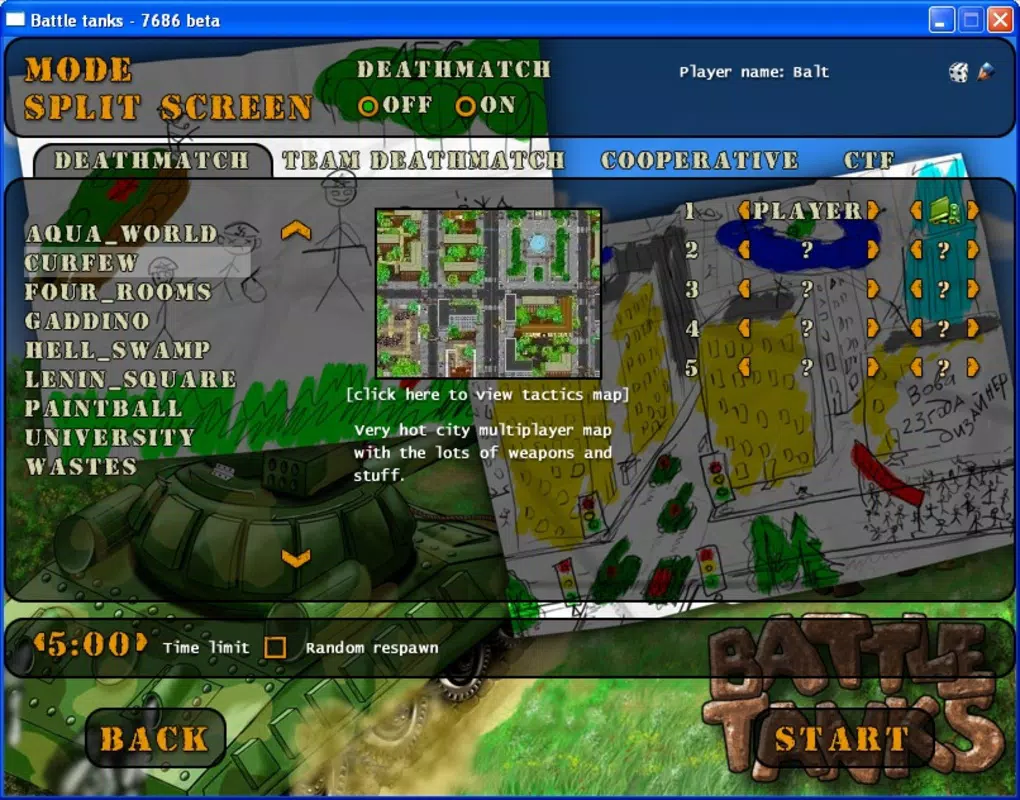
- Split-Screen Local Play: The game supports split-screen functionality, allowing two players to battle on one device. This feature is ideal for quick, face-to-face challenges without the need for internet connectivity or separate devices.
- Diverse Arsenal of Weapons: A wide selection of weapons is available, including missiles, bombs, antitank mines, and thermonuclear explosives. Players can customize their tank’s loadout to suit their preferred combat style, whether aggressive or defensive.
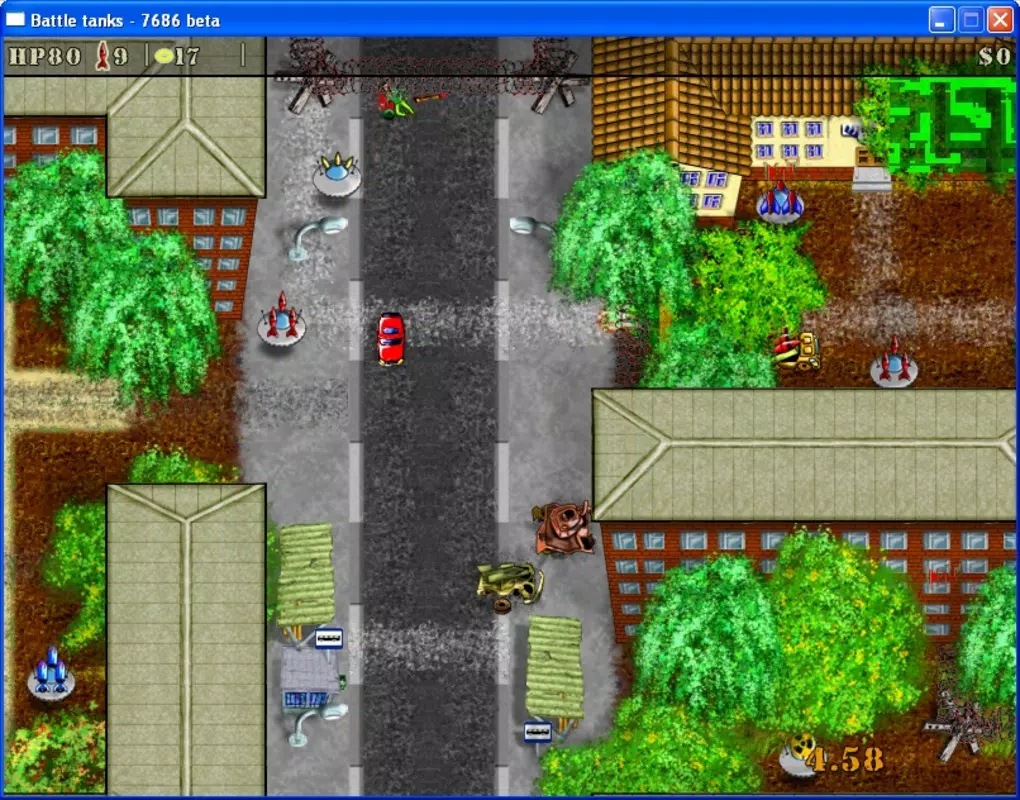
- Stunning Graphics: Despite being a 2D game, Battle Tanks features vibrant visuals and detailed animations that enhance the overall experience. Explosions, terrain effects, and tank designs contribute to a dynamic and visually appealing battlefield.
- Offline Battles Against AI: For players who prefer solo play, the app includes AI-controlled opponents. This allows users to practice tactics, test weapon combinations, or simply enjoy the game without needing an online connection.
Each feature is designed to support both casual and competitive play. For example, the Cooperative mode encourages teamwork and communication, while the Deathmatch mode rewards precision and reflexes. The split-screen mode enables real-time social interaction, making it suitable for parties or casual hangouts. The weapon diversity allows for experimentation and adaptation during gameplay, ensuring no two matches feel identical.
Real-World Use Cases
Players can use Battle Tanks during short breaks, such as lunch or commute time, due to its quick match setup. Families or friends can use the split-screen mode for shared entertainment. Solo players can use the AI mode to improve their skills before entering online matches.
Interface, UX & Performance
The user interface of Battle Tanks is designed with simplicity and clarity in mind. The main menu provides straightforward access to game modes, settings, and player profiles. Navigation is intuitive, with clear icons and minimal on-screen clutter, allowing users to quickly select their preferred gameplay style.
Visual style leans toward a cartoonish, colorful aesthetic with bold outlines and animated effects. This enhances readability and immersion, especially during fast-paced battles. The layout remains consistent across screens, reducing the learning curve for new players.
Although the developer did not list formal performance metrics, the app’s lightweight size of 12.5 MB suggests efficient resource usage. It is likely optimized for a wide range of Android devices, including older models. Responsiveness appears to be strong, with minimal lag reported in standard gameplay scenarios. Stability is maintained across different screen sizes and orientations.
Performance may vary depending on device hardware, but the app’s 2D nature and modest file size indicate compatibility with most Android smartphones and tablets. The game runs smoothly during online matches and local battles, maintaining consistent frame rates even during intense firefights.
Platform Compatibility & Technical Requirements
Battle Tanks is available on the Android platform. The current version is 1.0, with a file size of 12.5 MB. The app is free to download and install, making it accessible to a broad audience.
The developer did not specify minimum OS requirements or device compatibility details. As such, it is unclear whether the app supports all Android versions or requires a specific API level. Users should ensure their device meets standard Android system requirements to run the application successfully.
Compatibility with tablets and larger screens was not disclosed. However, the game’s 2D design and scalable interface suggest it may adapt well to different screen sizes, though this remains unconfirmed.
Pros and Cons
- Free to download and install
- Supports both online and offline multiplayer
- Split-screen mode enables local two-player battles
- Multiple game modes for varied gameplay
- Lightweight size suitable for older devices
- Stylized graphics enhance visual appeal
- No official update history or developer information provided
- Minimum OS and device compatibility not disclosed
- May lack modern features like cloud saves or leaderboards
- Single version (1.0) suggests limited development updates
- No mention of accessibility features or customization options
FAQ
Is Battle Tanks available for iOS?
As of now, the app is confirmed only for Android. No information is available regarding iOS availability.
Can I play Battle Tanks offline?
Yes, the app includes offline battles against computer-controlled opponents, allowing gameplay without an internet connection.
Does Battle Tanks support cloud saves?
The developer did not provide details about cloud storage or save synchronization features.
How large is the app file?
Battle Tanks has a file size of 12.5 MB, making it a lightweight download suitable for devices with limited storage.
Is the app free to use?
Yes, Battle Tanks is available at no cost. There are no in-app purchases or subscription fees mentioned.
Final Thoughts + CTA
Battle Tanks stands out as a nostalgic yet functional 2D tank game that delivers on its promise of fun, multiplayer-driven action. Its diverse game modes, split-screen capability, and accessible design make it a strong choice for players seeking lighthearted, competitive entertainment. While the app lacks modern enhancements like cloud saves or frequent updates, its core gameplay remains engaging and well-structured.
It is particularly suited for casual gamers, friends looking to play together locally, and fans of retro-style arcade games. The combination of tactical depth, visual flair, and zero cost creates a compelling value proposition. For those who enjoy fast-paced tank battles with a humorous twist, Battle Tanks offers a satisfying experience.
Download Battle Tanks now


